minecraft-installer
Introduction
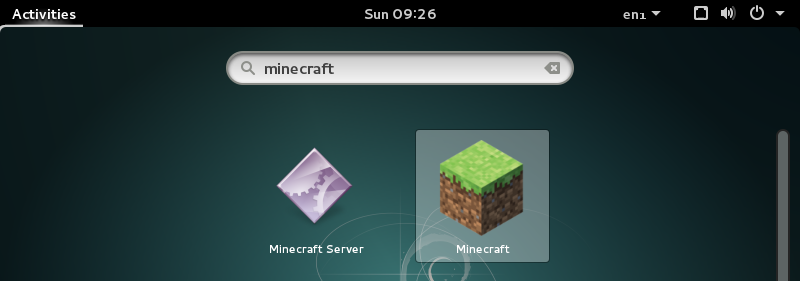
A package for Debian and Ubuntu that downloads and installs the official Minecraft client. It creates a menu item and depends on the relevant Java packages so that everything you need is installed automatically.
Download
This package has been tested on the amd64 version of Ubuntu Maverick and the amd64 version of Debian Lenny, however, it should work on any architecture with a recent version of Debian or Ubuntu:
APT Repository
The easiest way to install this software is by adding my
personal APT repository to your /etc/apt/sources.list file.
Then install it in the usual manner - for the client package:
sudo apt-get update
sudo apt-get install minecraft-installer
and for the server package:
sudo apt-get update
sudo apt-get install minecraft-server-installer
Right now the APT repository only has the amd64 and i386 architectures, so if you want to use one of the more obscure architectures which Debian supports you’ll have to download and install the .deb files manually.
.deb files
These .deb files can be installed with dpkg -i.
minecraft-installer
- minecraft-installer_1.8_all.deb (recommended)
- minecraft-installer_1.7_all.deb
- minecraft-installer_1.6_all.deb
- minecraft-installer_1.5_all.deb
- minecraft-installer_1.4_all.deb
- minecraft-installer_1.3_all.deb
- minecraft-installer_1.2_all.deb
- minecraft-installer_1.1_all.deb
- minecraft-installer_1.0_all.deb
minecraft-server-installer
- minecraft-server-installer_1.8_all.deb (recommended)
- minecraft-server-installer_1.7_all.deb
- minecraft-server-installer_1.6_all.deb
- minecraft-server-installer_1.5_all.deb
- minecraft-server-installer_1.4_all.deb
However, I strongly recommend using the APT repository so you can receive updates easily.
Historical .deb files for versions 1.5 and later are no longer available as GitHub no longer allows .deb files to be uploaded.
Source code
This project is open-source software available under the terms of the GNU GPL. The source code is hosted on GitHub.
Credits
Martin Erik Werner submitted a large set of patches which added the
minecraft-server-installer package and also improved the existing packaging.